Add Medication
Each medication is tied to one pet. So, to get started, go to your pet details by tapping on a pet you added in the app.
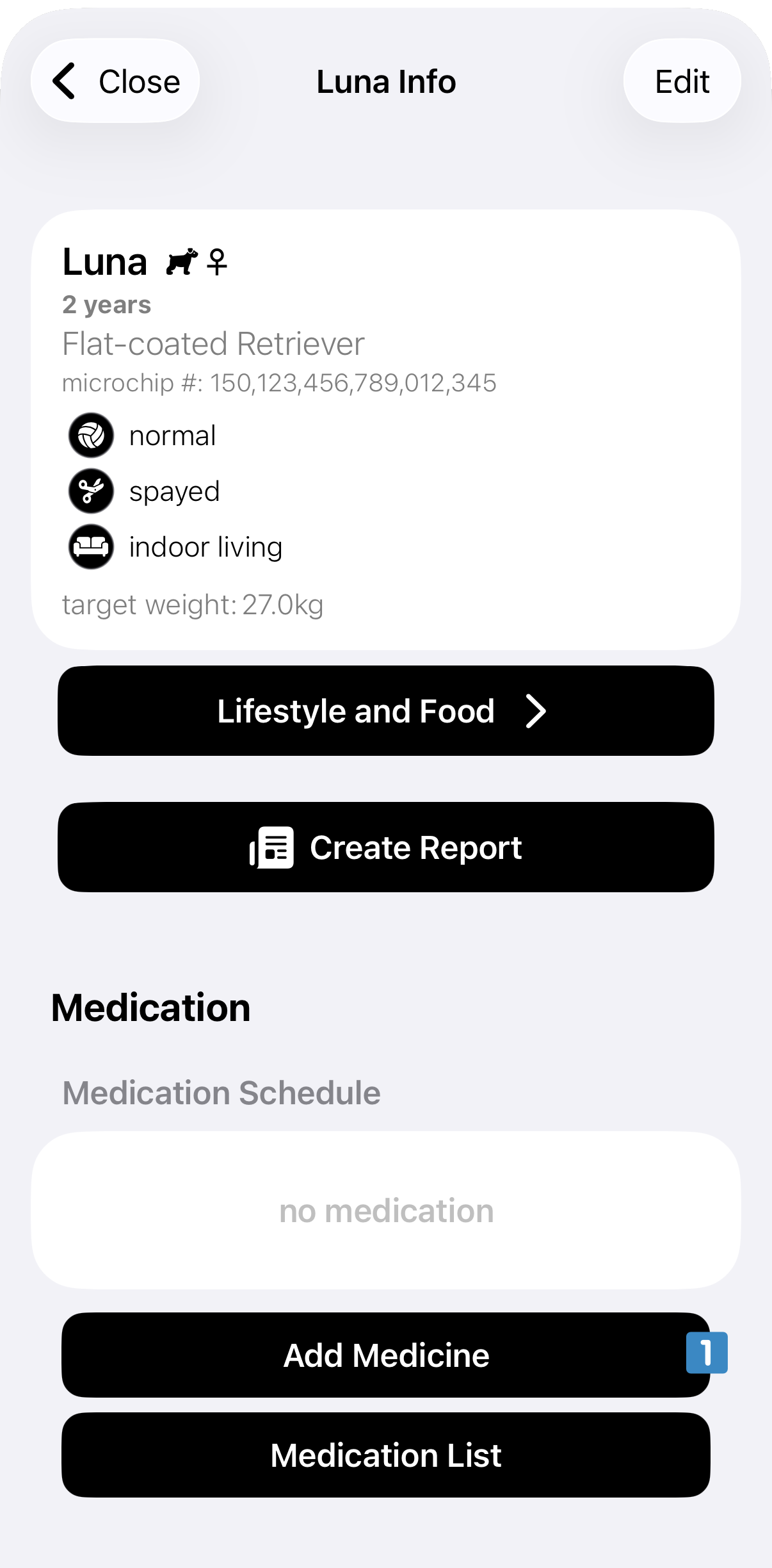
In the pet details screen go to the bottom and tap on Add Medicine. This opens up a new screen where you can add your medication for this pet.
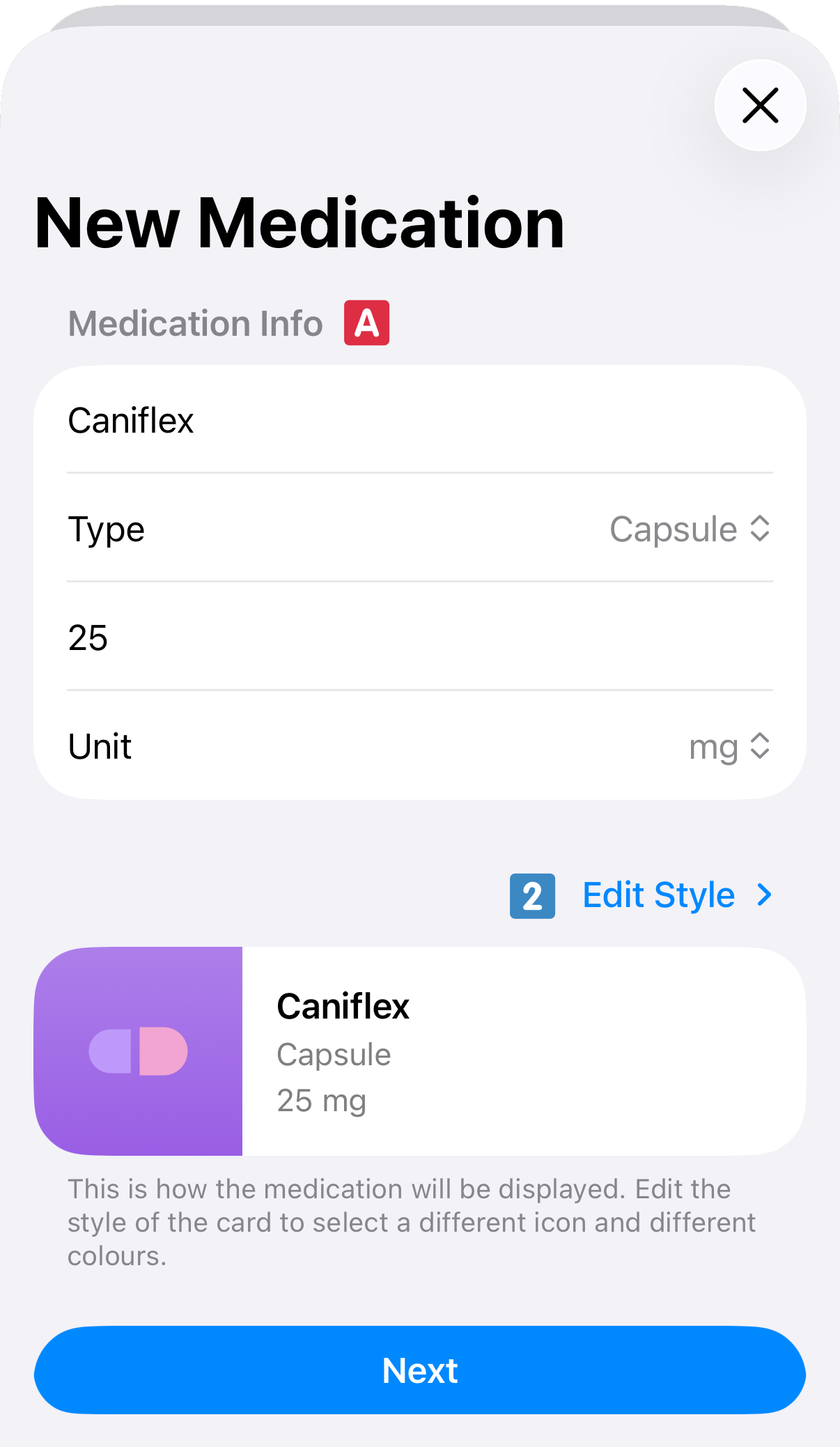
First, the app asks you about the basic medication information such as name, strength, and type of medication
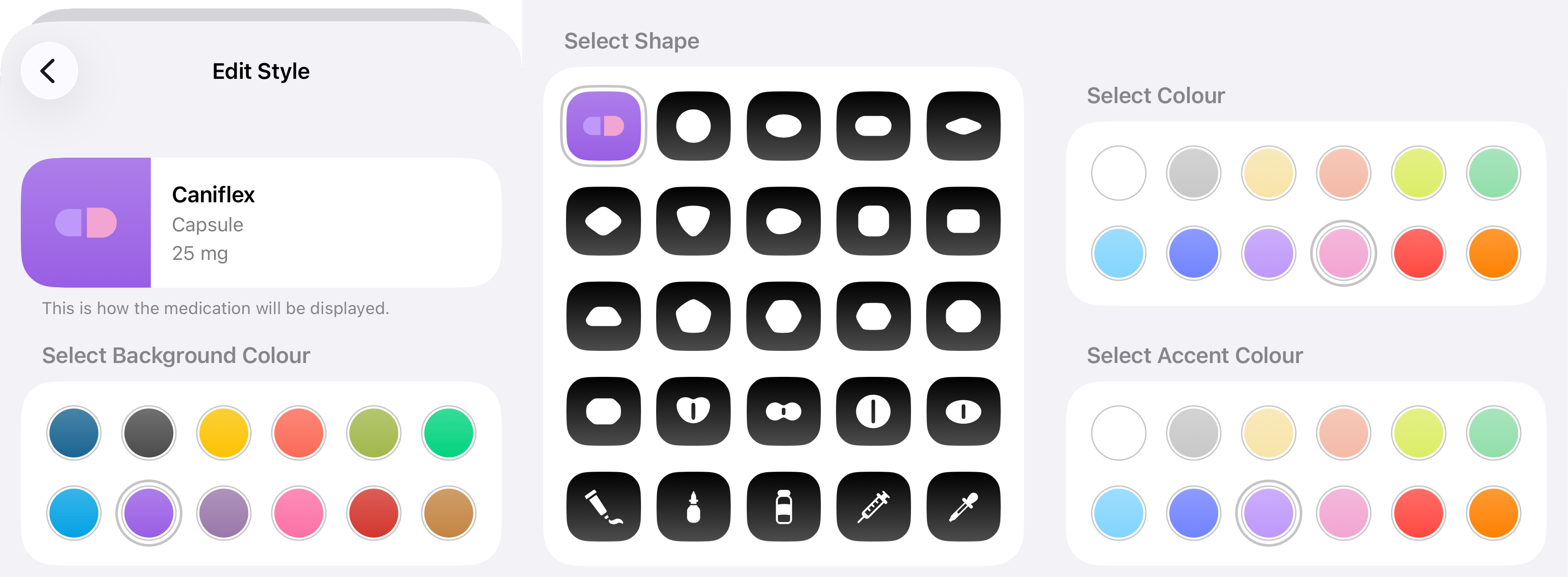
 . For easy reference you can style the medication as you please by tapping on Edit Style or tapping on the medication card
 . To style a medication select the preferred background colour, icon for the medication, and colour accents as desired.
Second, the app asks about when the medication needs to be given, for how long, and when to reorder medication (if needed).
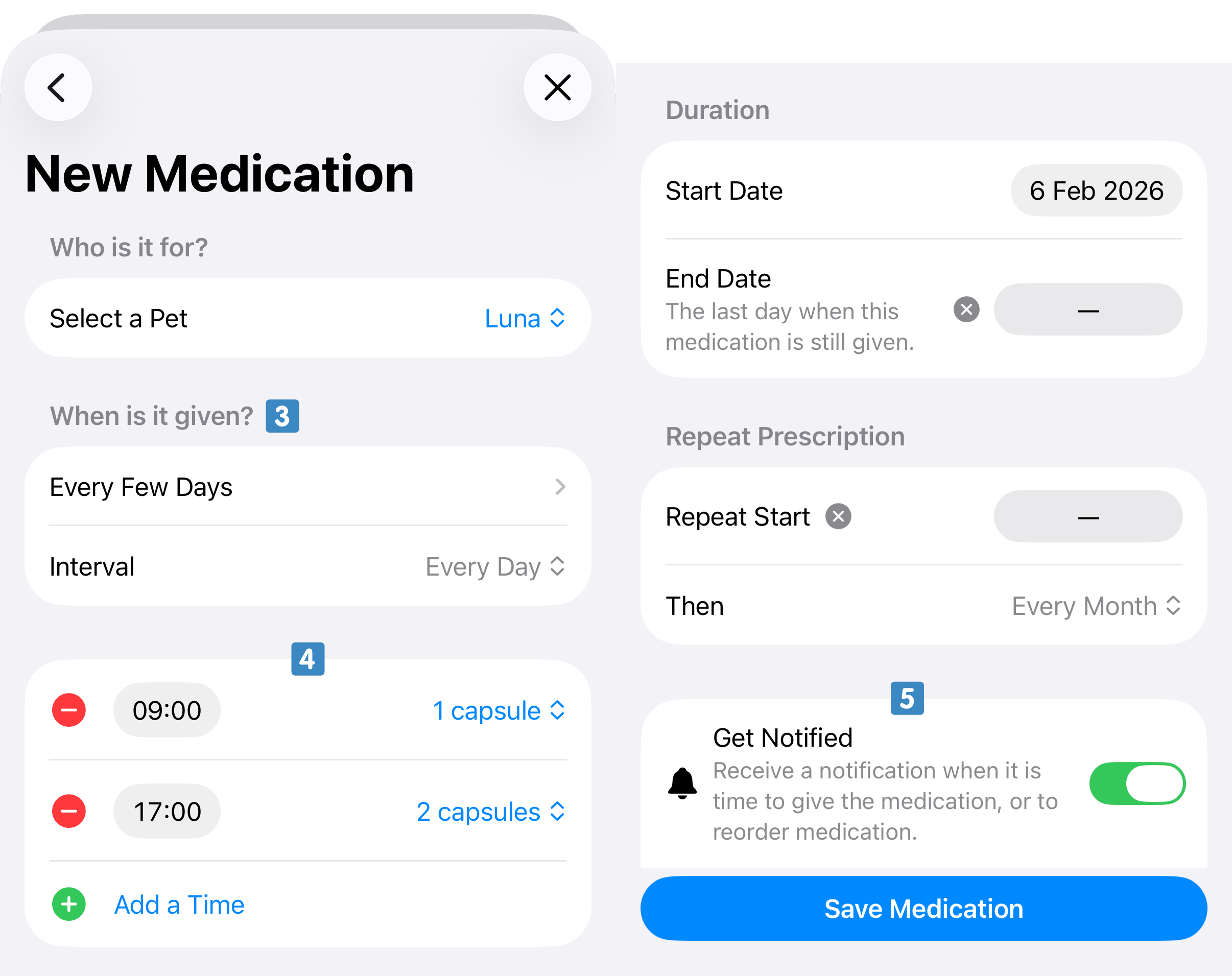
To set the posology select at which intervals the medication is given (e.g. daily, weekly, cyclical)
 . Then, for each day when the medication is required, set the times and the dose at each time
 . More times can be added by tapping Add a Time. If the medication is only to be given for a certain amount of time you can set the end date. If this is medication that needs to be given over a longer duration you can set a reorder time. The app will track this too for you and flag when medication should be reordered.
Both for medication and reorders the app can alert you with notifications. If you want this for this medication, toggle on the option Get Notified
 .
.
If you're happy with all the information entered go ahead and tap Save Medication.