Analyse Food
Single Food
The app allows you to analyse and compare foods with ease. All analysis occurs on the level of macronutrients, not on the level of micronutrients. While micronutrients are important, these are often strictly regulated to contain minimal amounts for essential nutrients or maximum amounts for potentially harmful components. When comparing foods, the app can perform an analysis in a general way, or specific to one pet if you want to take the needs of that pet into account.
Each food card has its own brief food analysis
 . Traffic lights are used to quickly identify how good, or good, each macronutrient scores.
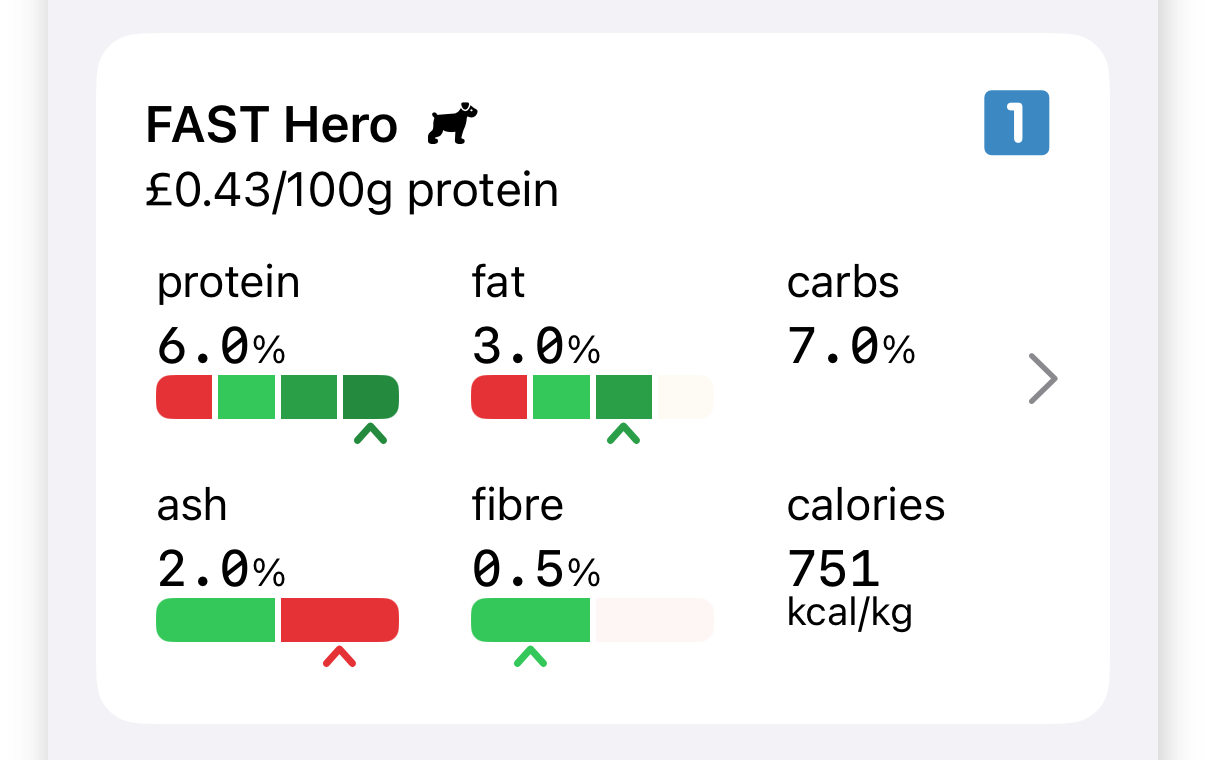
This scoring system is a simplification. The best amount depends on each pet's needs and there is no single food that is the best for every pet. This is because macronutrients fulfil different, and sometimes opposite, goals.
- Protein, Fat
- Higher values are often better. Food with higher protein levels is suitable even for pets on restricted calories, but these foods often cost (much) more. Fat is a double-edged sword: higher fats mean more calories, so high fat foods are often best suited to (very) active pets.
- Ash, Fibre
- A basic amount of both is allowed, expected, and needed. However, too much is a bad thing. Pets cannot process a lot of these macronutrients. Too much ash means too much filler in the food. Too much fibre means too much indigestible (plant-based) material that can cause intestinal issues.
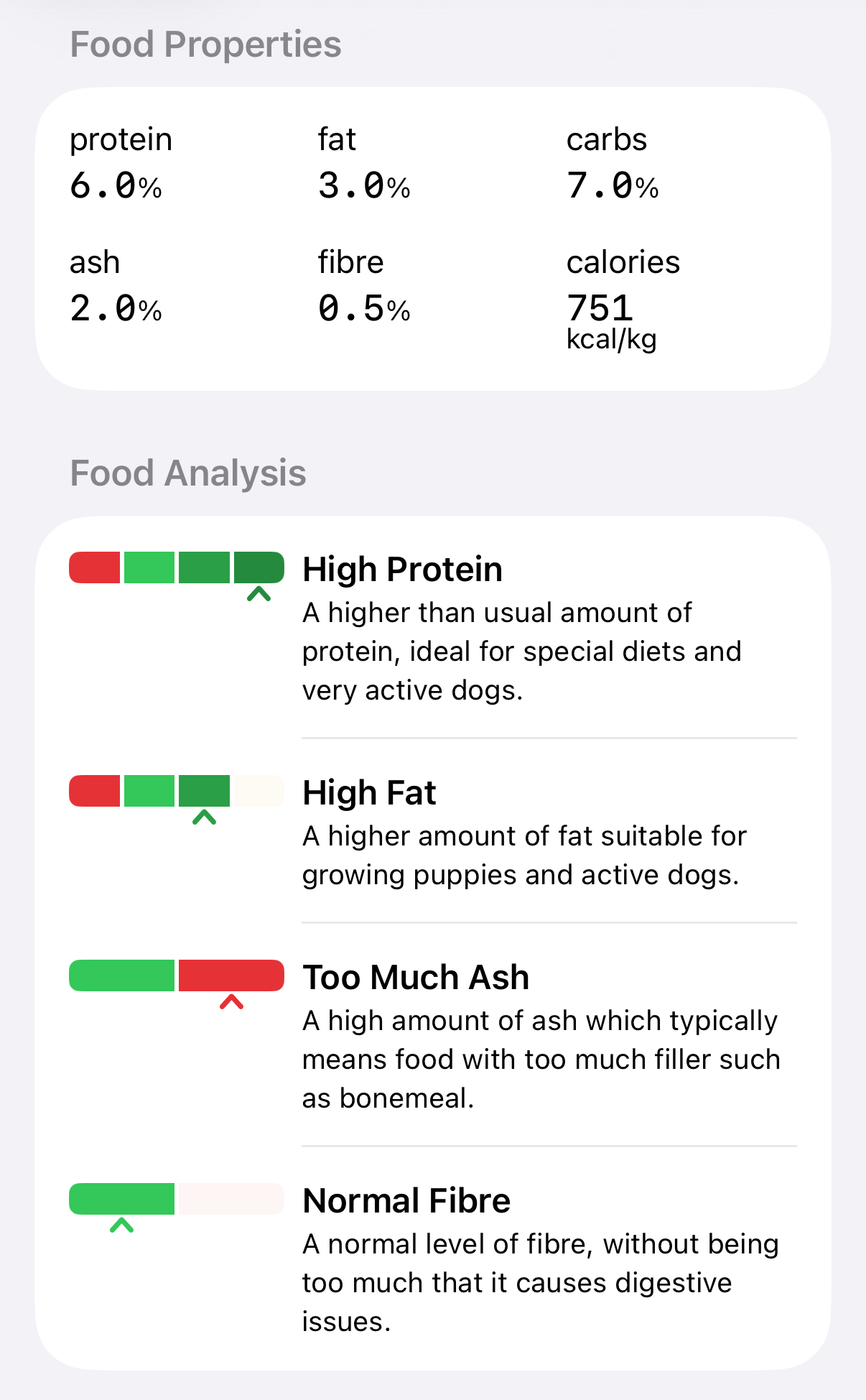
If you need a reminder of these guidelines you can tap on the food card
in the app to see the expanded explanation.
Comparing Foods
The app can also compare foods side-by-side. Tap on the Compare Food button on the main screen
 .
.
By default, the comparison screen applies to all pets.
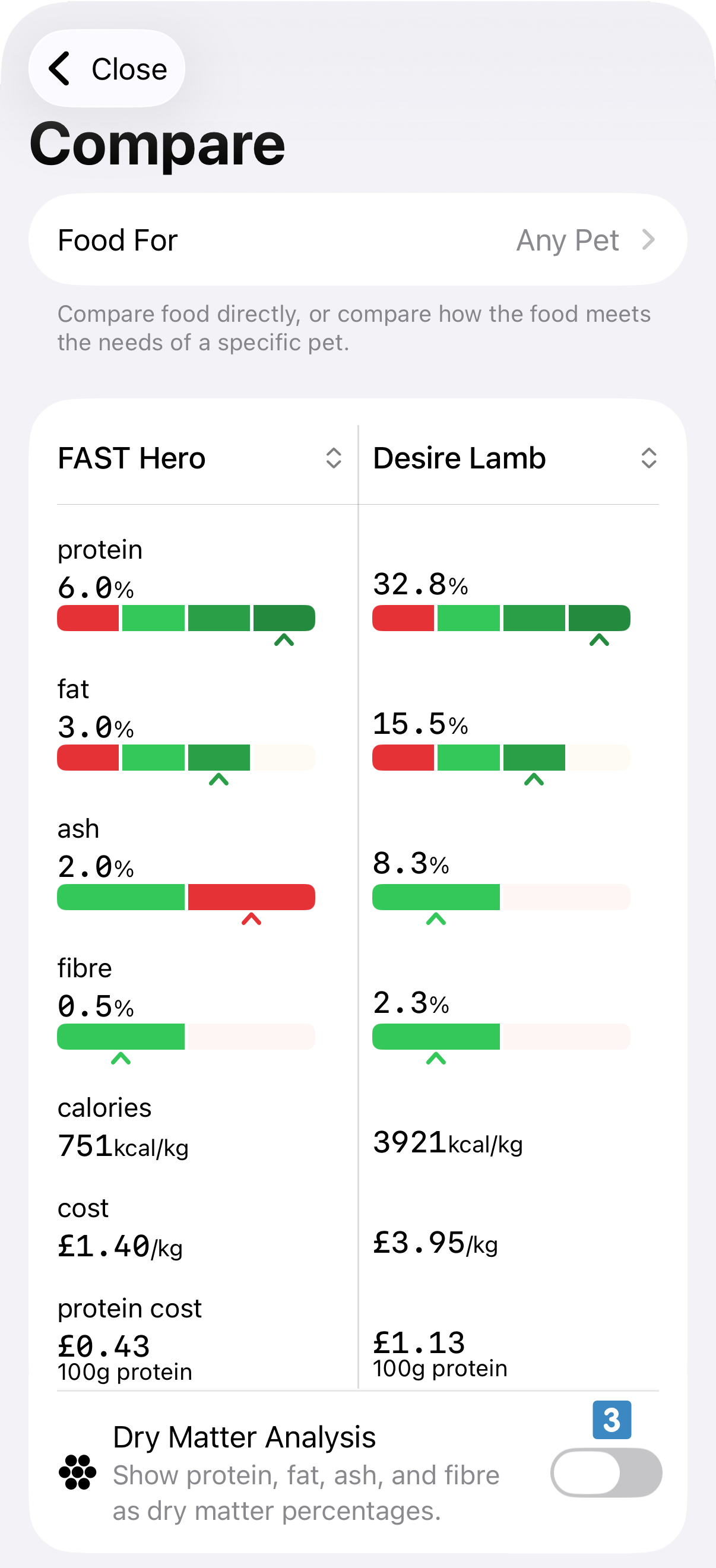
 if you prefer a lateral comparison.
Foods can also be compared related to a given pet. To do so, select a pet from the menu
 at the top.
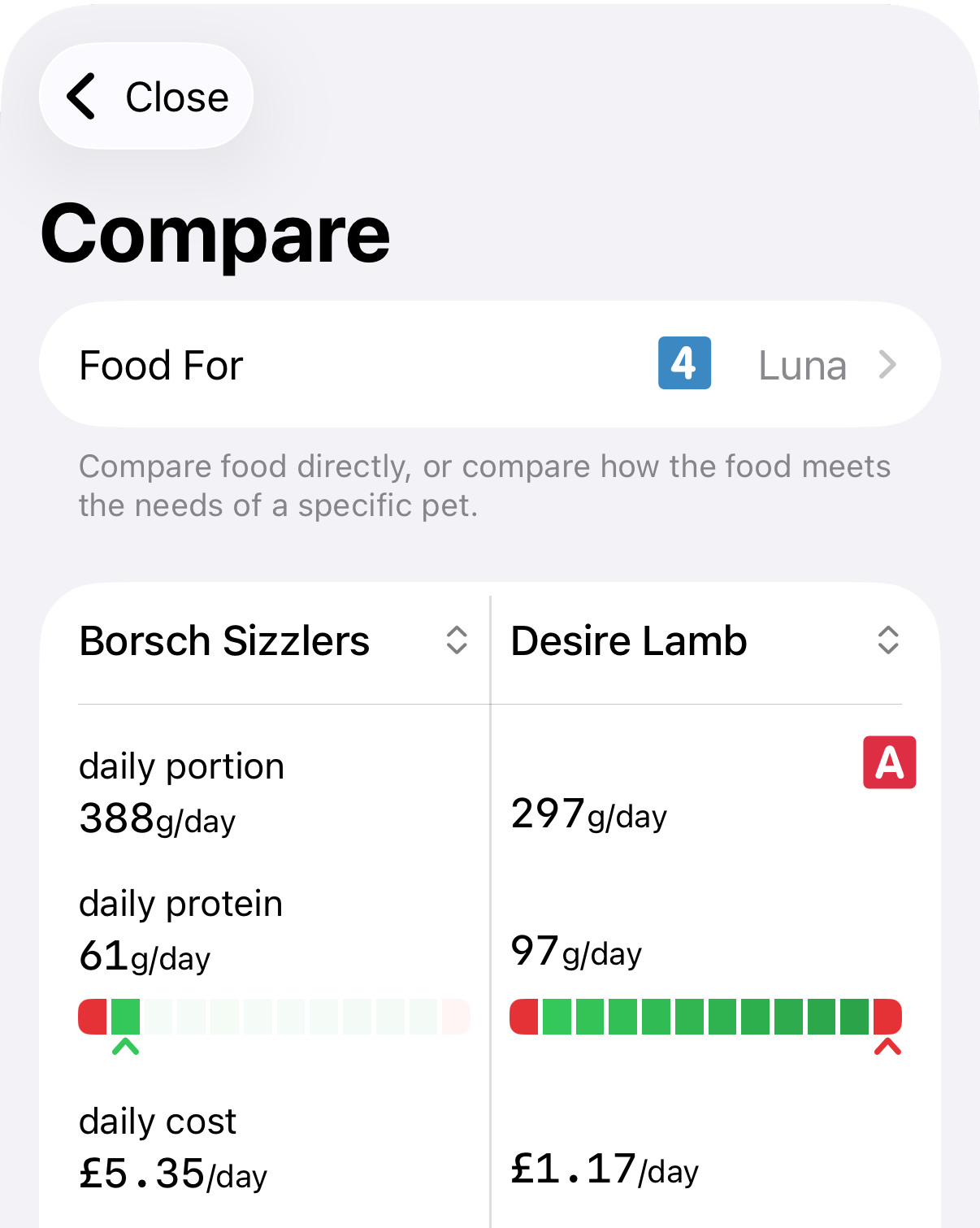
A new section is added at the start of the foods analysis
 . With a specific pet selected the app can offer information on the daily amount of this food the pet would require to meet its calorific needs, the corresponding proteins such a portion would provide, and (if prices for both foods are set) the corresponding cost of each feeding option.